
// Appeeky for macOS
The whole App workspace
native on your Mac
Reviews, Ads Intelligence, Local Data, App Intelligence and revenue — synced locally, with a built-in terminal and MCP pairing.

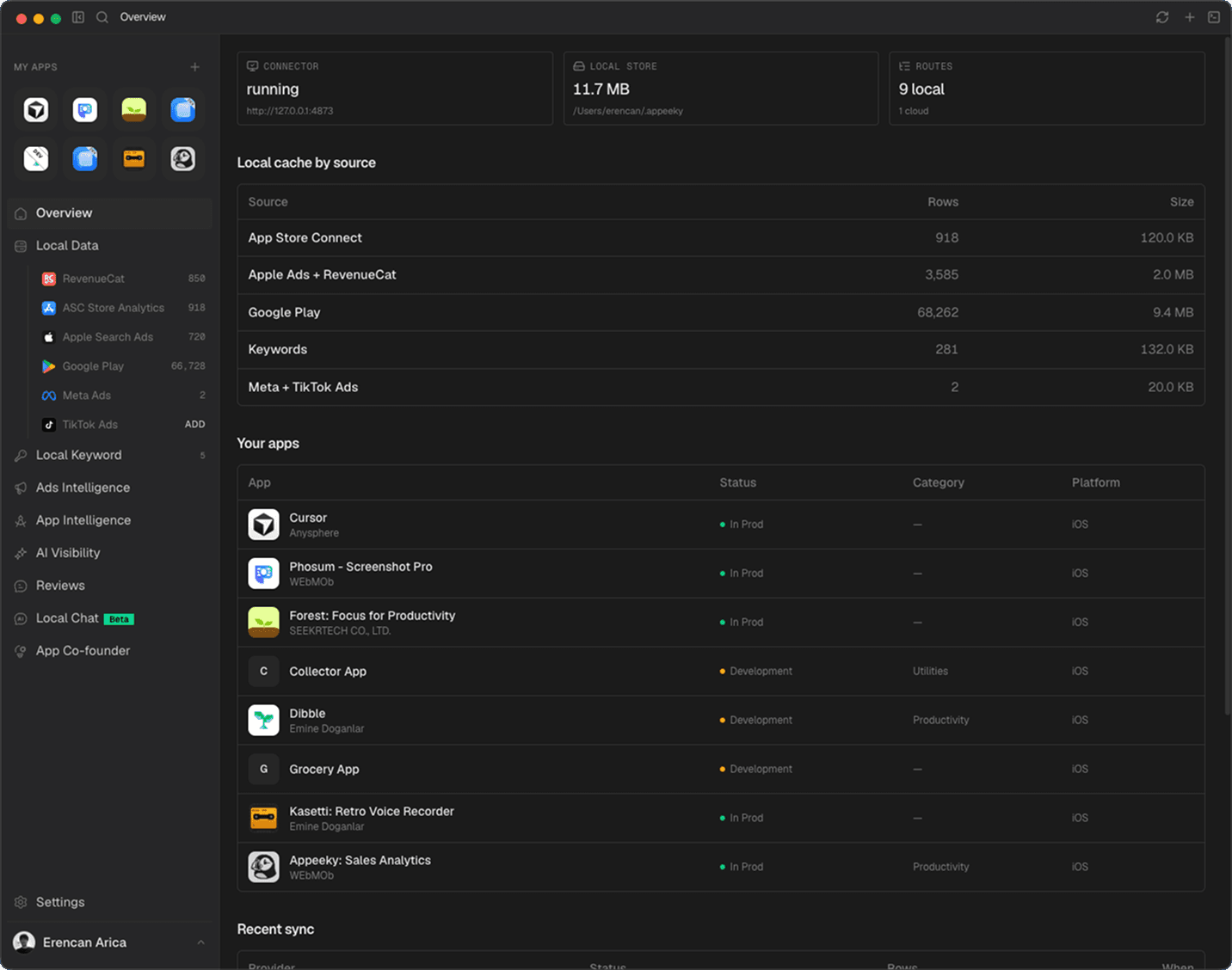
http://127.0.0.1:4873
/Users/erencan/.appeeky
1 cloud
Local cache by source
| Source | Rows | Size |
|---|---|---|
| App Store Connect | 918 | 120.0 KB |
| Apple Ads + RevenueCat | 9,043 | 2.0 MB |
| Google Play | 68,262 | 9.4 MB |
| ASO Keywords | 281 | 132.0 KB |
| Meta + TikTok Ads | 7 | 28.0 KB |
| SEO Growth | 494 | 3.2 MB |
Your apps
| App | Status | Platform |
|---|---|---|
S Saiko | In Prod | iOS |
C Cursor Anysphere | In Prod | iOS |
 Forest: Focus for Productivity Seekrtech | In Prod | iOS |
// Built like a native tool
Fast, secure, and made for the Mac
A real desktop app — local-first, keyboard-driven, and secure by default, with a built-in terminal and MCP pairing.
Terminal
// why desktop
Native speed for serious ASO work
When you live in store data, the desktop app keeps everything local, fast, and always in sync.
Local-first data cache
Store metrics sync to your Mac for fast queries, all-time ranges, and offline access.
SEO rank tracker
Website visibility, movers, and AI Overview citations — scanned locally for instant analysis.
Reviews inbox
App Store and Google Play reviews in one native view — filter, reply, track sentiment.
 ESP
ESP
 DEU
DEUAds Intelligence
Apple Search Ads ROAS and keyword performance — cached locally for instant analysis.
MCP pairing
Connect Cursor, Claude, or Codex to your local Appeeky data with one-click MCP setup.
Local LLM
Analyze reviews and store data with an on-device model — fully offline, nothing leaves your Mac.
Your whole App Store workspace in one window
Local cache, connector status, and every app you track — synced on your Mac and ready without waiting on the cloud.
- Full all-time ranges from a local cache — no export dance
- App Store Connect, Google Play, Apple Search Ads, and RevenueCat
- Keyboard-driven navigation built for daily ASO work
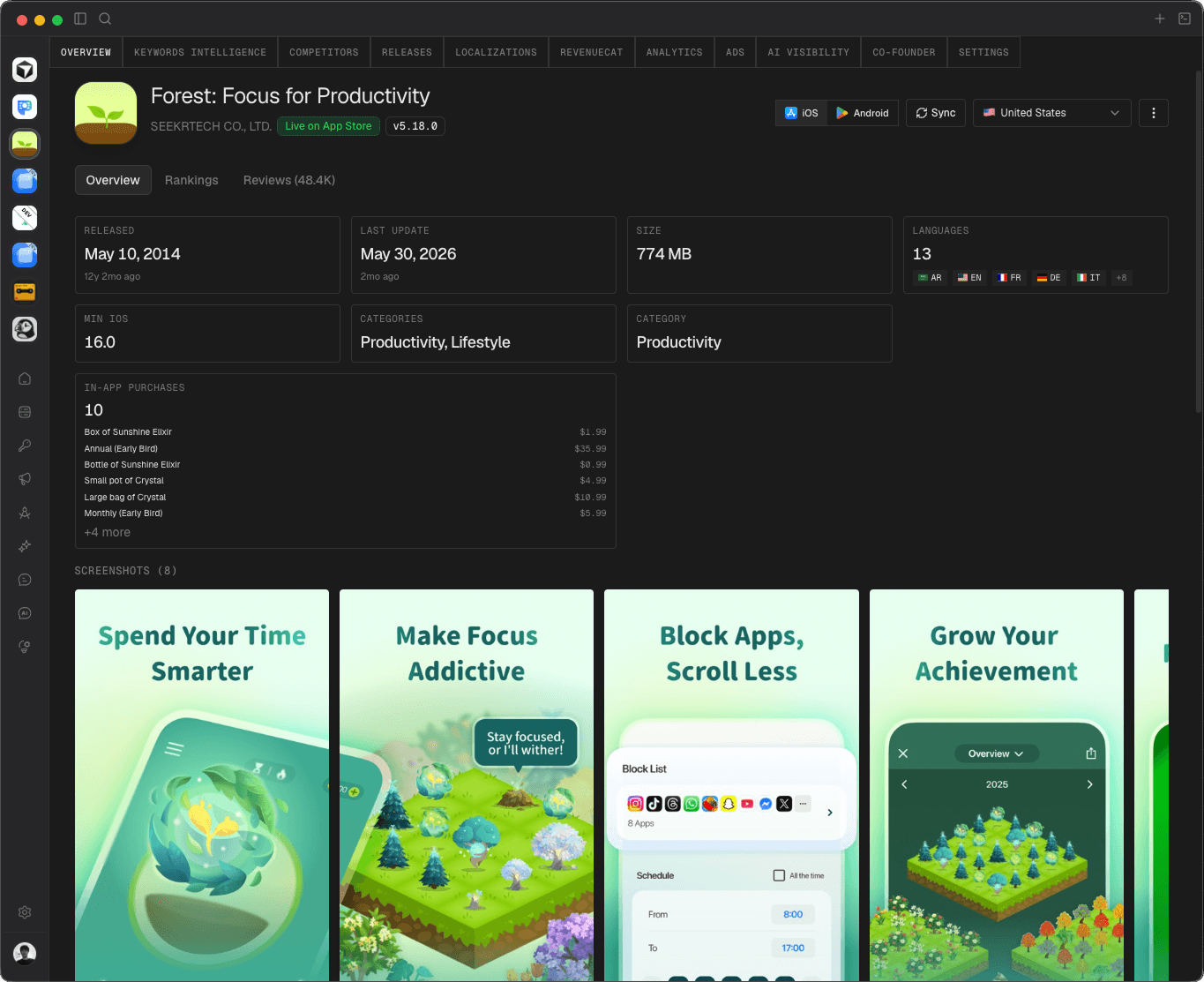
Every app detail, one native surface
Metadata, rankings, reviews, IAPs, and screenshots — your live store listing mirrored on Mac.
- Live App Store status, version, and country context
- In-app purchases and screenshot galleries at a glance
- Jump into keywords, competitors, ads, and AI Visibility from the same shell
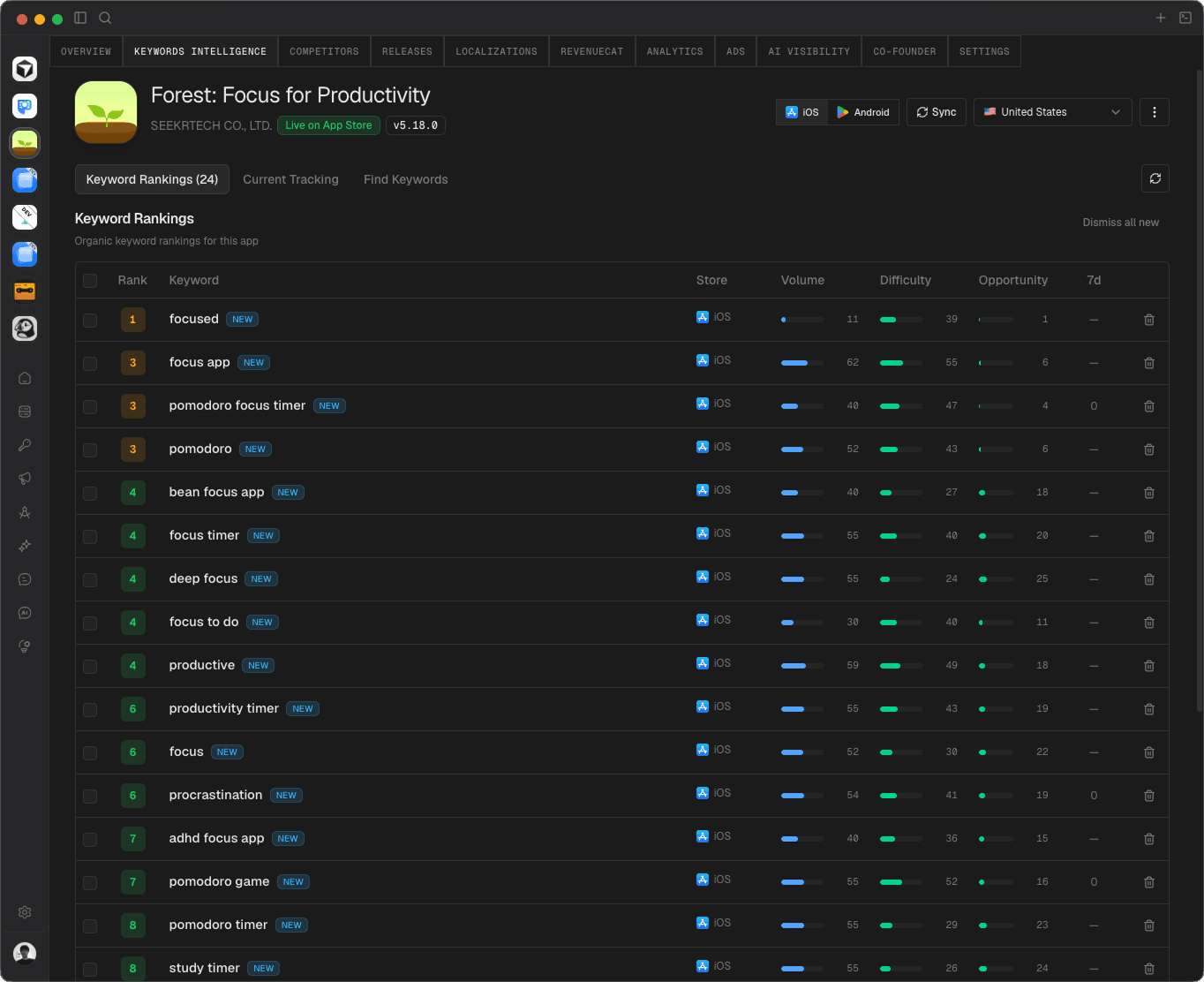
ASO, native on Mac
Organic ranks, volume, difficulty, and opportunity — track what moves and find what to target next.
- Keyword rankings with volume, difficulty, and 7-day change
- Current tracking and find-keywords flows in one place
- Same keyword model as the web dashboard, cached locally
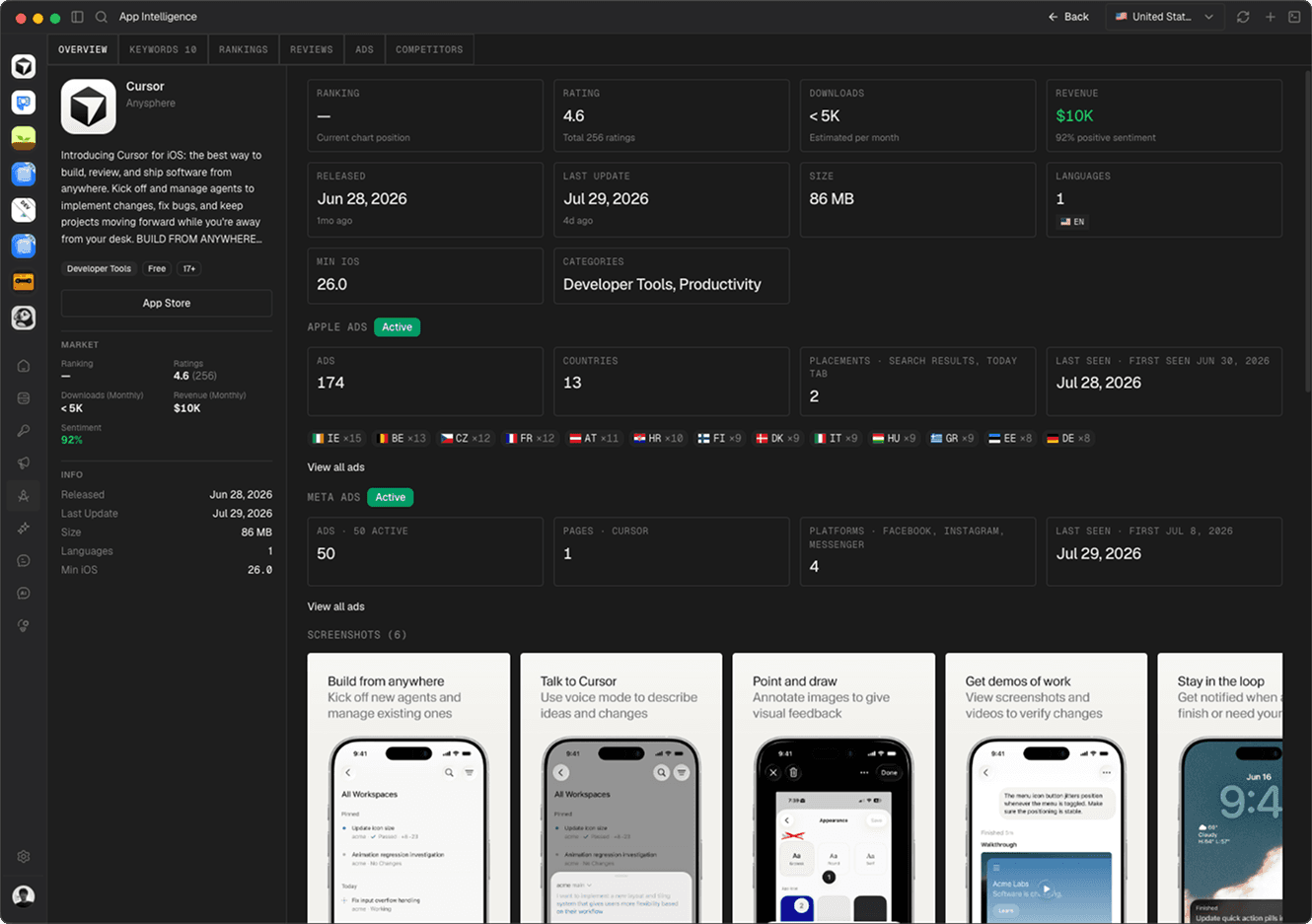
Deep App Intelligence on any listing
Open any competitor and see rankings, ratings, downloads, revenue estimates, screenshots, and live ads.
- Overview metrics plus Apple Ads and Meta Ads activity
- Screenshot galleries and market context per country
- Jump from intel into competitor ads without leaving the window
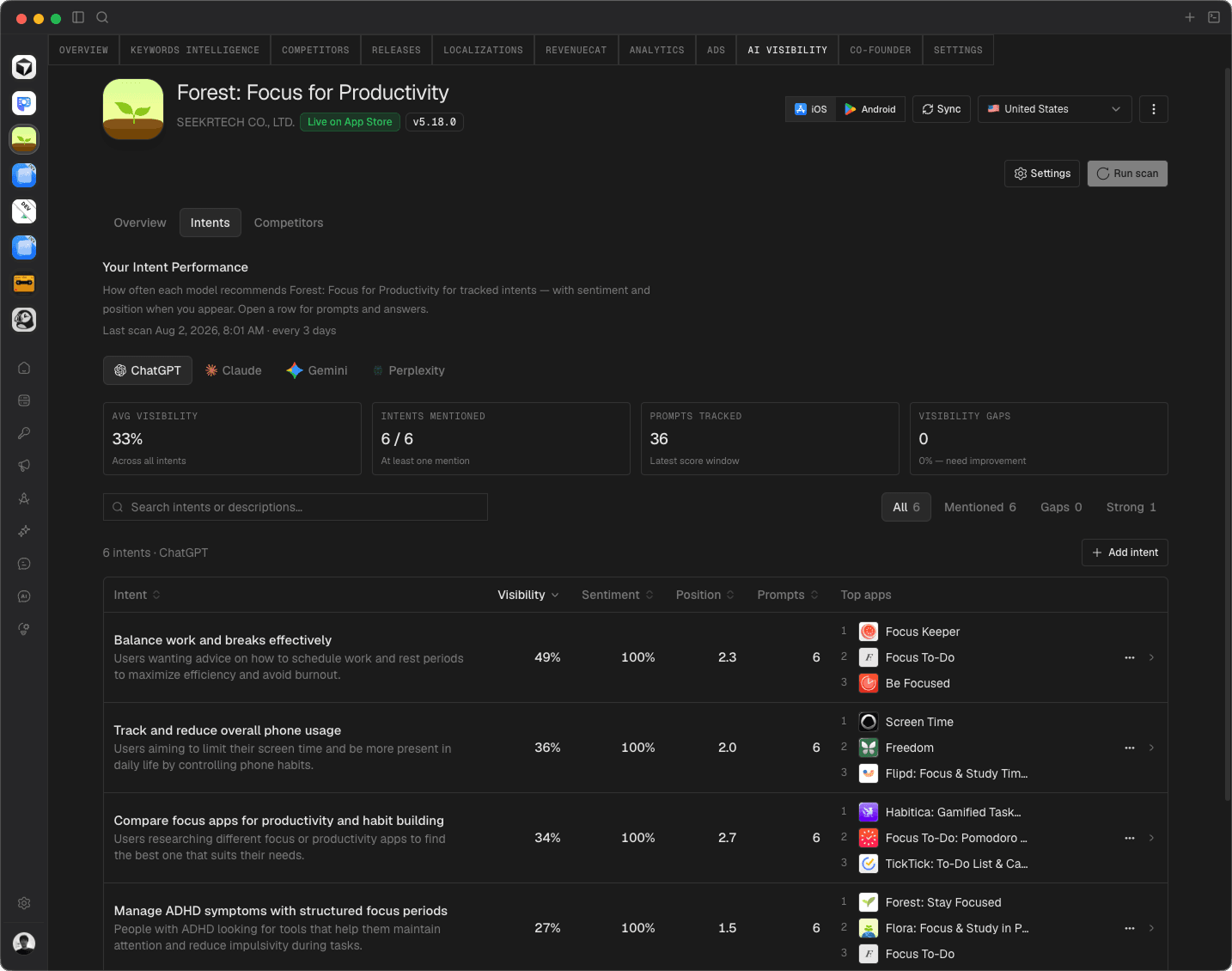
Track visibility inside AI answers
See whether your app shows up in ChatGPT, Claude, Gemini, and Perplexity — by intent, sentiment, and position.
- Intent-level prompts with sentiment and answer position
- Filter by model — ChatGPT, Claude, Gemini, Perplexity
- Run scans from the desktop and keep results on your Mac
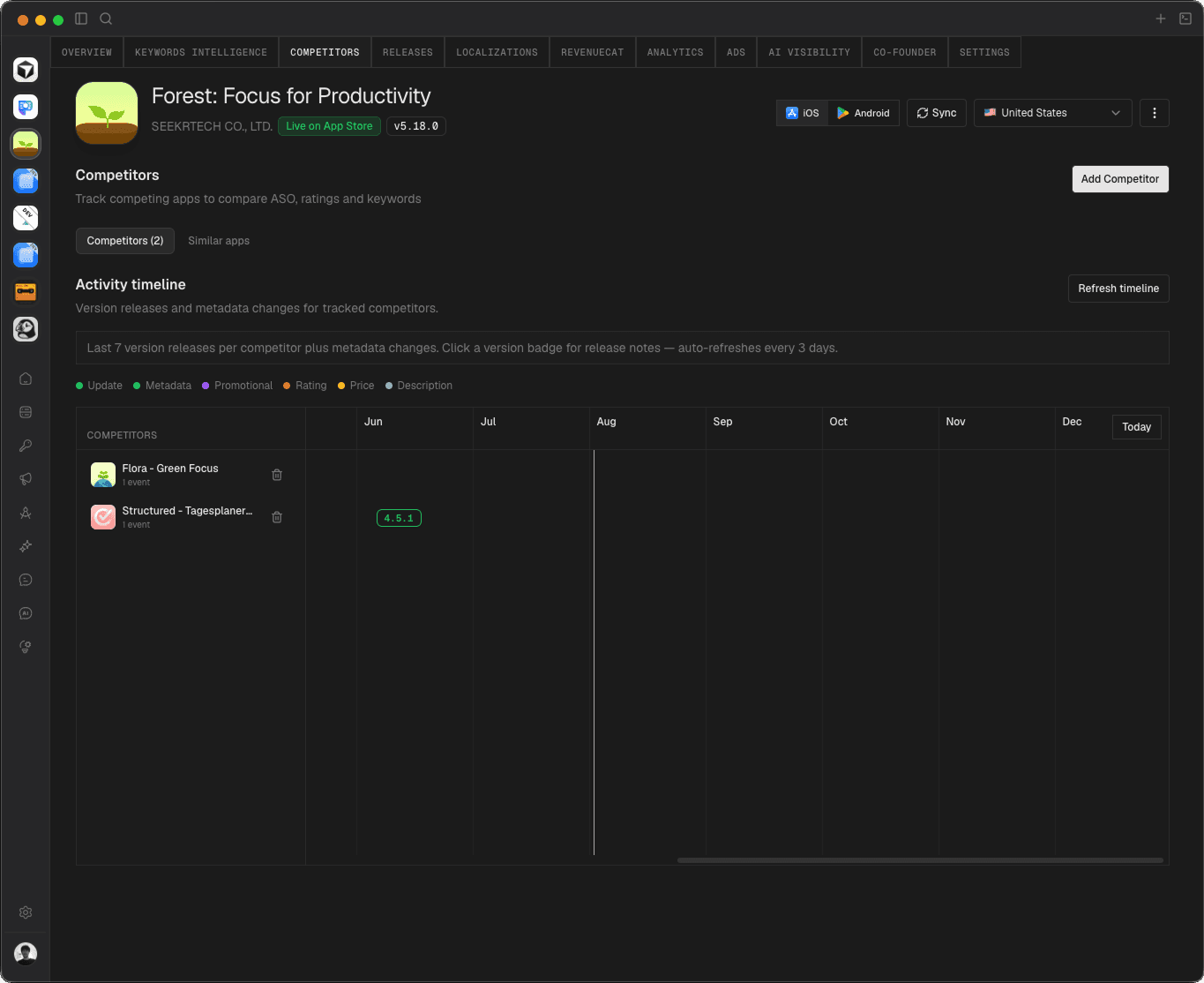
Watch competitors on a timeline
Track competing apps and catch version releases, metadata edits, rating shifts, and price changes as they land.
- Activity timeline across every tracked competitor
- Similar-apps discovery beside your watchlist
- Add competitors in one click from App Intelligence
// getting started
Up and running in minutes
From download to live data and AI pairing — everything Appeeky does, in a quick flow.
Get the app
Grab the universal Mac build — signed and notarized by Apple.
Use your account
Sign in with your existing Appeeky account. It's free, no separate signup.
Link your stores
Add App Store Connect, Apple Search Ads, Google Play or RevenueCat.
Sync & explore
Pull real data into a local cache and dig in with full all-time ranges.
Track & benchmark
Follow keyword ranks, reviews and ad ROAS — and benchmark against competitors.
Terminal & MCP
Run commands in the built-in terminal and pair your data over MCP with your AI tools.
Desktop FAQ
Mac support, data storage, updates, and how the desktop app fits with your Appeeky account.
Both Apple Silicon (M-series) and Intel Macs running macOS 12 or later. One universal installer covers both — no need to pick a chip.
Yes. Every release is code-signed and notarized by Apple, so it opens without Gatekeeper warnings and updates itself securely in the background.
No. Sign in with your existing Appeeky account. The desktop app is free and shares the same data as the web dashboard.
Connected store data is synced into a local cache on your Mac for speed and offline access. Credentials are kept in the macOS keychain, and you can route each source through cloud or local.
It's a real multi-tab terminal inside the app. Run any command, save the ones you use often, and keep processes running in the background while you browse your data.
The app checks for new versions automatically and installs them in the background, so you're always on the latest build without re-downloading anything.
// Get the apps
Download Appeeky
Free with your account — same data on your Mac and in your pocket.
Appeeky for Mac
The full ASO workspace — reviews, ads, local data and a built-in terminal, native and local-first.
Universal · Apple Silicon & Intel
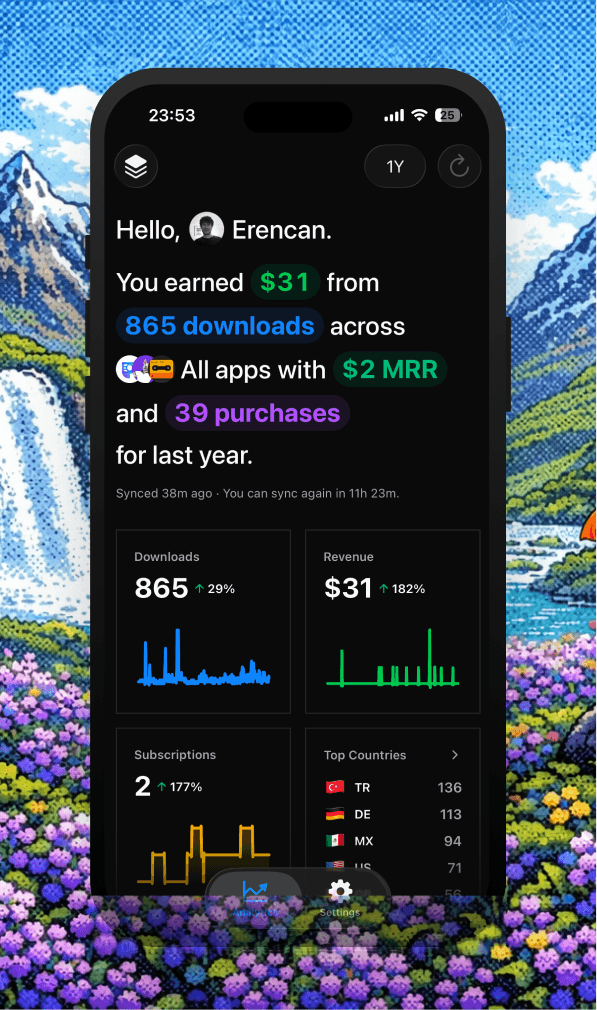
Appeeky for iPhone
Revenue, MRR, downloads, subscriptions and reviews in your pocket — with Home Screen widgets.
// get started
Download Appeeky for Mac
Free with your account — one universal build for Apple Silicon and Intel.