
Attribution: see which installs pay
One SDK for React Native, iOS, Android and Flutter. Every install gets its source, and every trial, purchase and renewal gets matched to it. No IDFA, no ATT prompt.
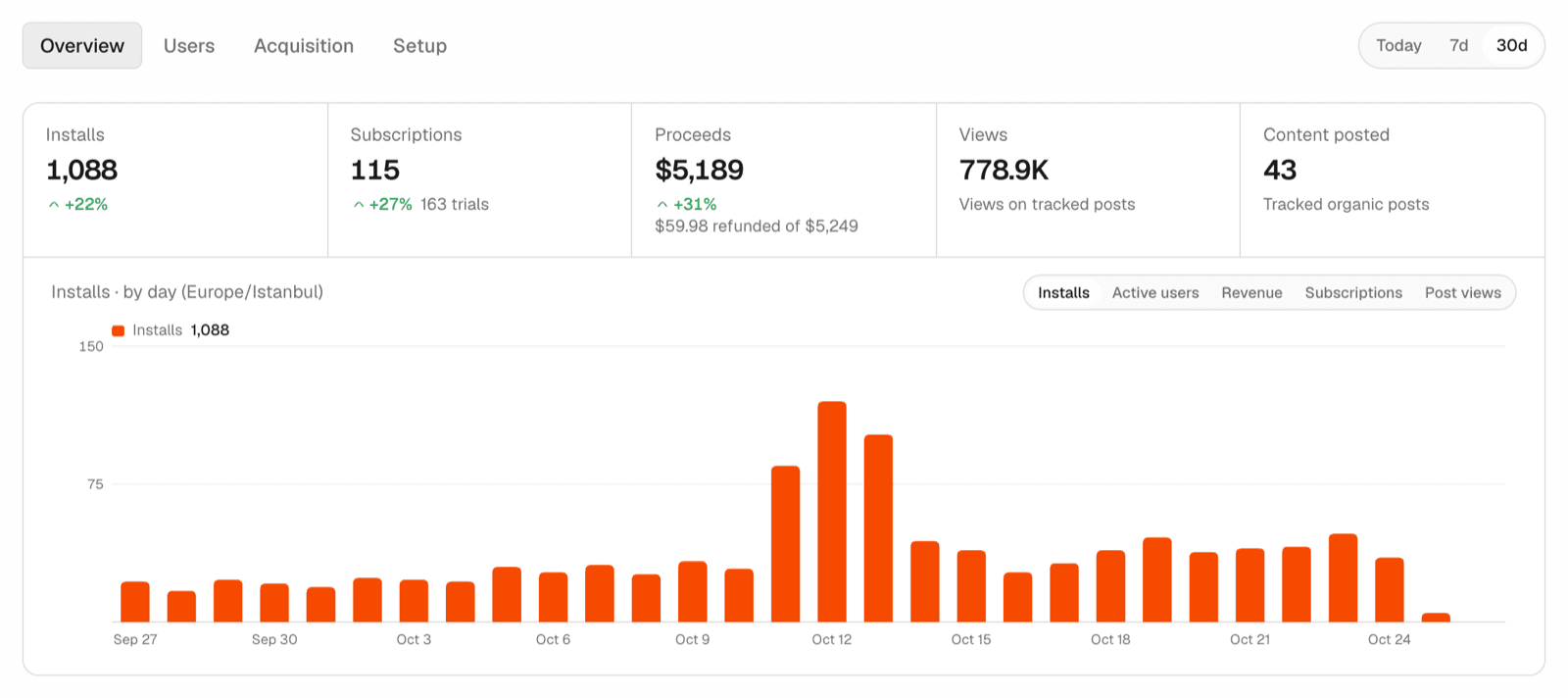
Every install comes from somewhere: an Apple Search Ads keyword, a TikTok video, a link in a creator's bio, or someone typing your app's name into the App Store. Most dashboards stop counting at the install. Attribution follows it to the trial, the purchase and every renewal, so you can see which sources bring people who pay.
- One SDK for React Native and Expo, iOS, Android and Flutter
- Revenue from RevenueCat or Superwall, matched to the install that made it
- No IDFA, no App Tracking Transparency prompt, no fingerprinting
- In private beta: reply to the announcement or write to hey@appeeky.com to get access
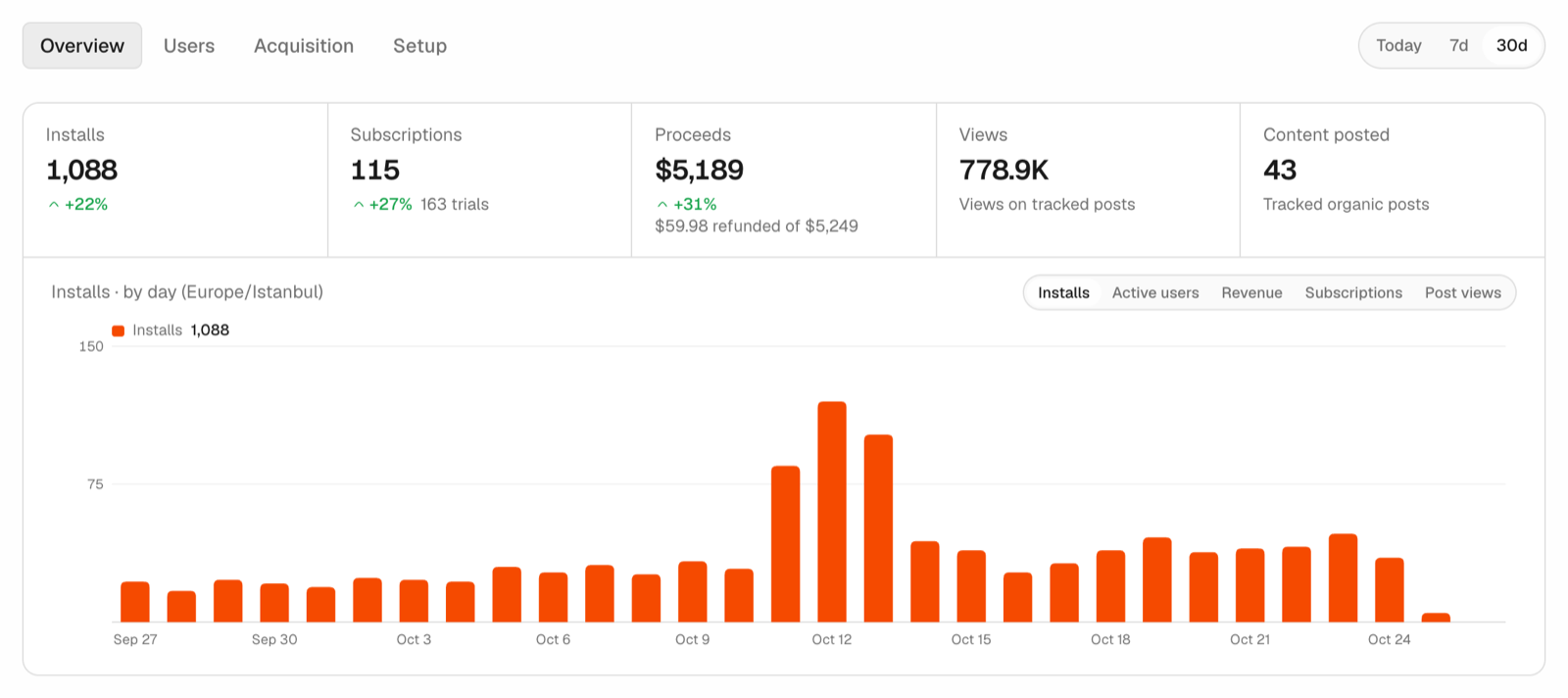
From install to renewal, in one view
The Overview puts installs, subscriptions, proceeds net of refunds and the views on your tracked posts side by side, each against the previous period. Pick a metric above the chart to see it day by day.
Where installs come from, and which ones pay
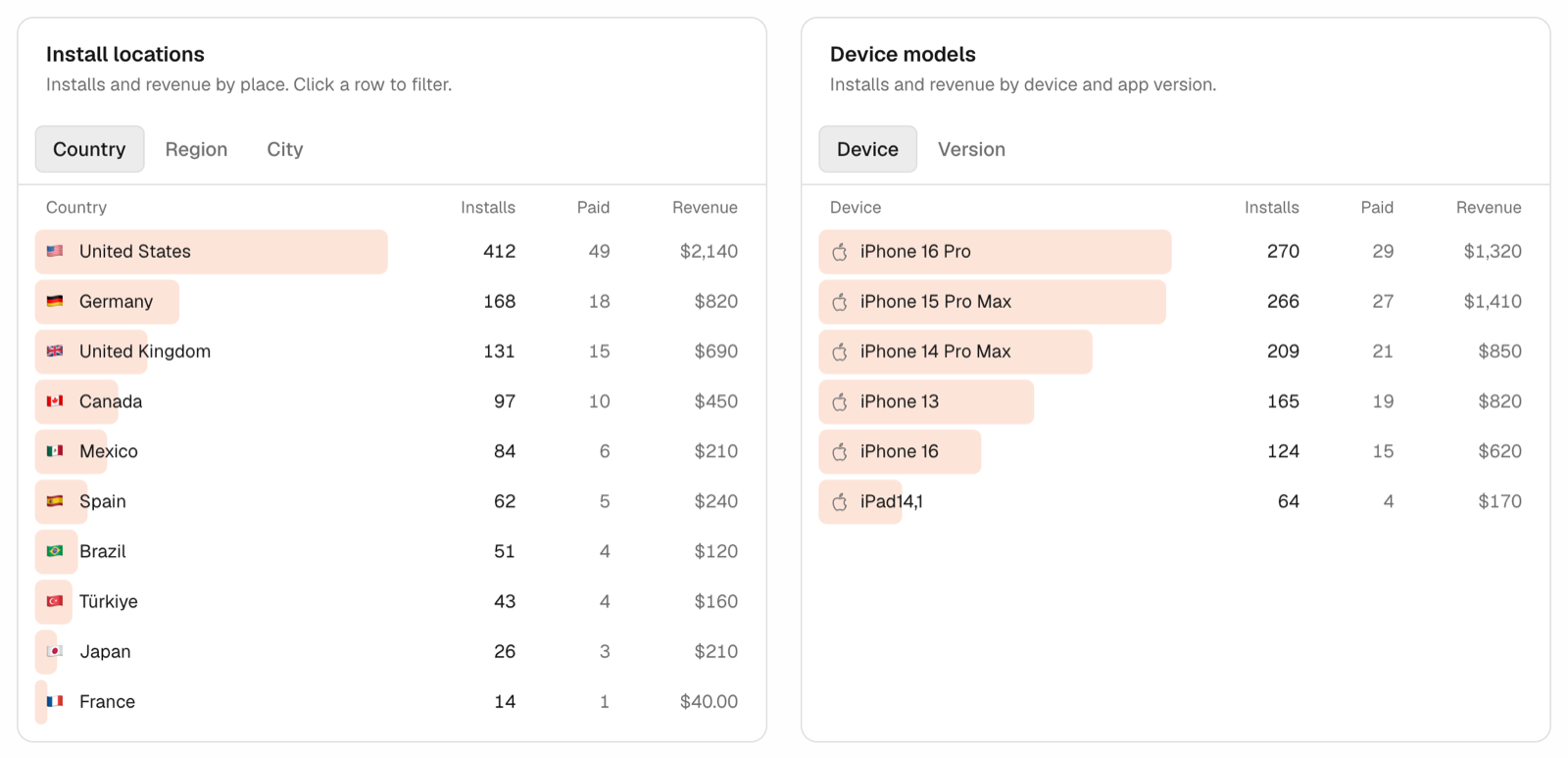
Break installs down by source, campaign and Apple Search Ads keyword, by country, region and city, or by device and app version. Every row shows how many of those installs paid and the revenue they brought. Click a row and the whole page filters to it.
Apple Search Ads, down to the keyword
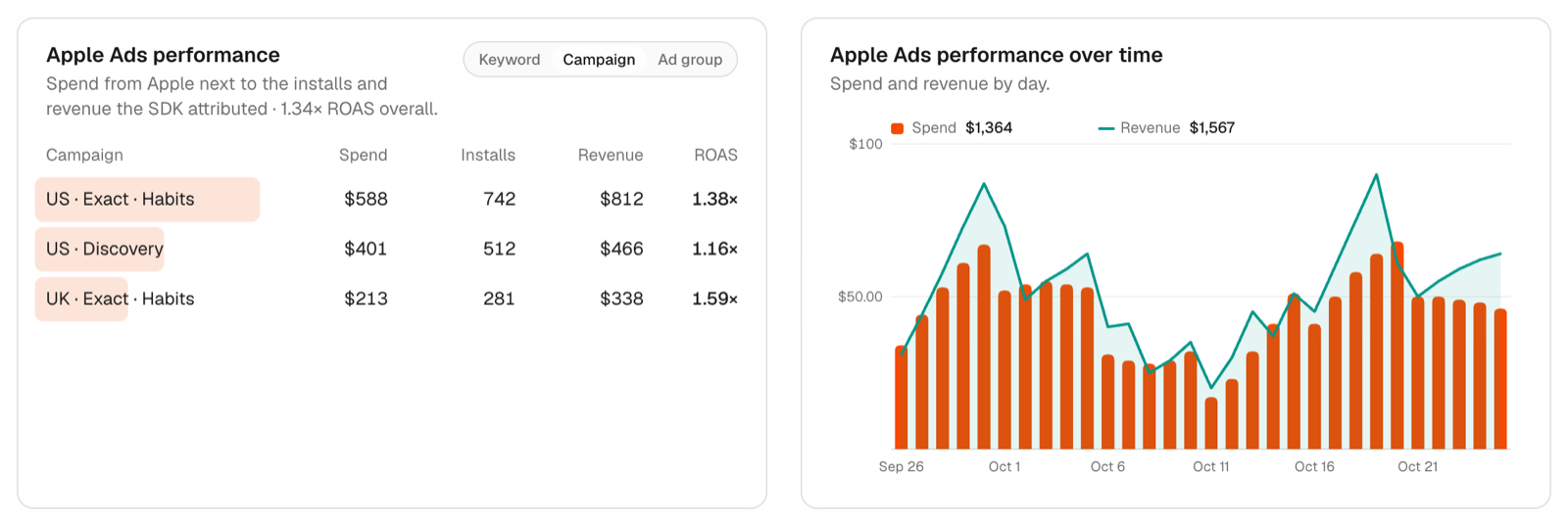
Connect Apple Ads and spend sits next to the installs and revenue the SDK attributed: ROAS per campaign, ad group and keyword, and per day. You can see which keywords earn back what they cost and which only bring installs.
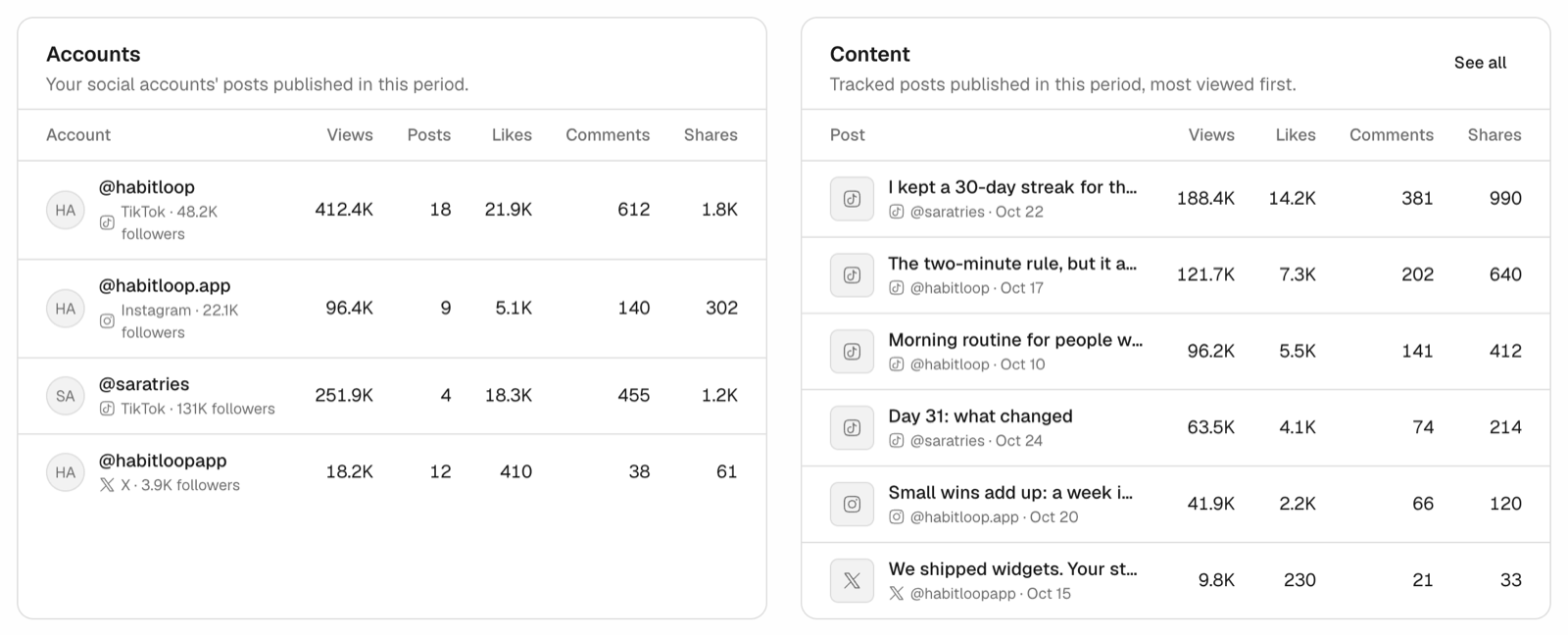
Organic posts next to installs
Posts you publish from Appeeky show up with their views, likes, comments and shares, per account and per post. Attach a smart link and each post also shows the installs and revenue it brought in.
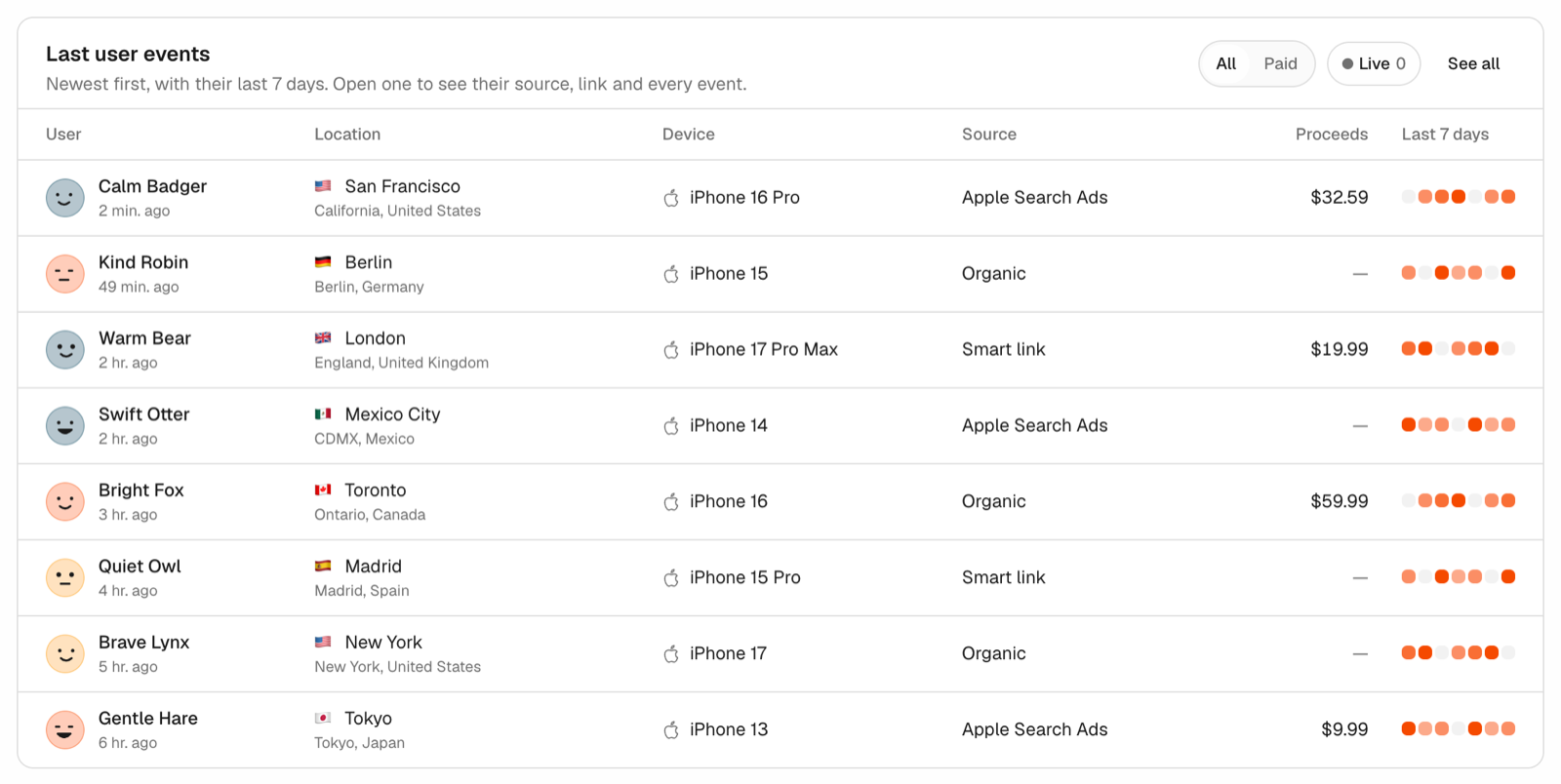
Every user, every step
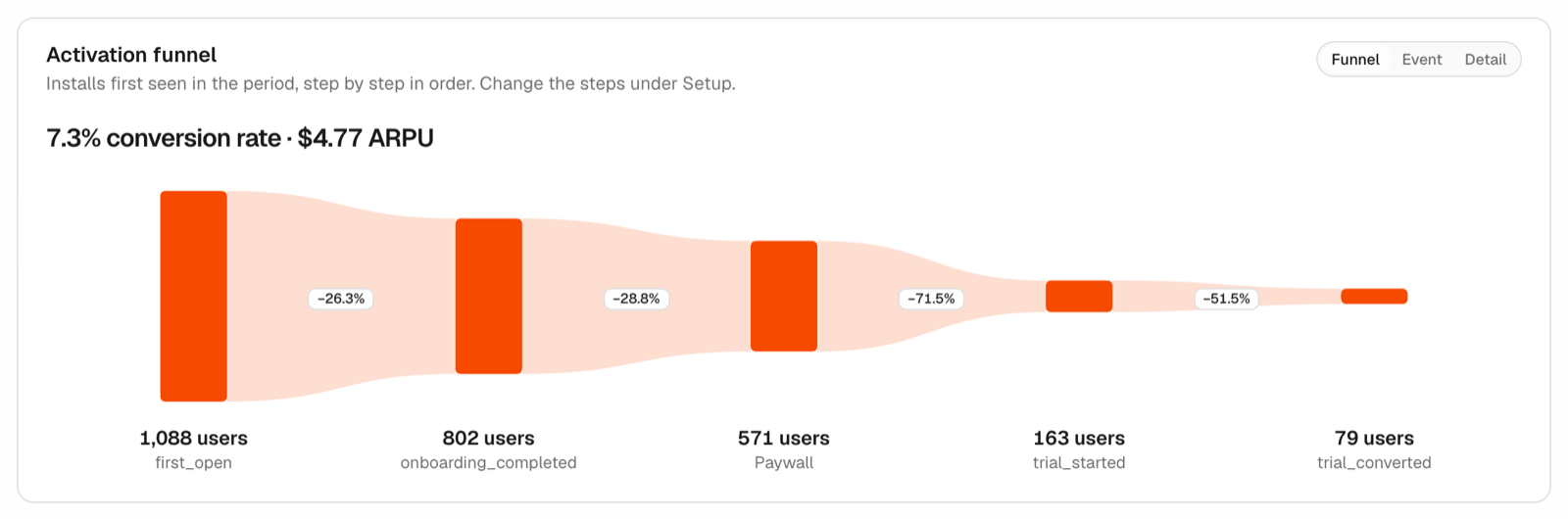
The latest users come with their city, device, source, what they paid and their last seven days. Open one to see the link they came from and every event since. The activation funnel shows where people drop between first open, onboarding, paywall, trial and paid, with the conversion rate and ARPU on top.
Set up in three steps, on any stack
Turn on Attribution for an app, add the SDK, pass the RevenueCat or Superwall user id. That's it.
- React Native and Expo:
npm install @appeeky/analytics-expo - iOS: Swift Package Manager,
github.com/appeeky/analytics-swift - Android:
com.github.appeeky:analytics-androidthrough JitPack - Flutter:
flutter pub add appeeky_analytics
All four send the same data, so the dashboard works the same whichever you use. The SDK source is public on GitHub. Read the Quickstart for the details.
Attribution without tracking people
The SDK never reads advertising identifiers and never matches installs by device signals. Apple Search Ads comes from Apple's own AdServices token, Android installs from the Play Install Referrer, and links from the URL that opened the app. When the source can't be known, the install counts as organic. Location is rounded to about 10 km, and turning Attribution off deletes everything.
Attribution is in private beta. Reply to the announcement or write to hey@appeeky.com and we'll turn it on for your apps.