
Mobile App Growth with Grok Bot + Appeeky
Same Appeeky data you already use in Cursor and Claude — now on Grok Bot with weekday routines for ASO, ads, ASC, and growth ops.
Appeeky · Aug 18, 2026
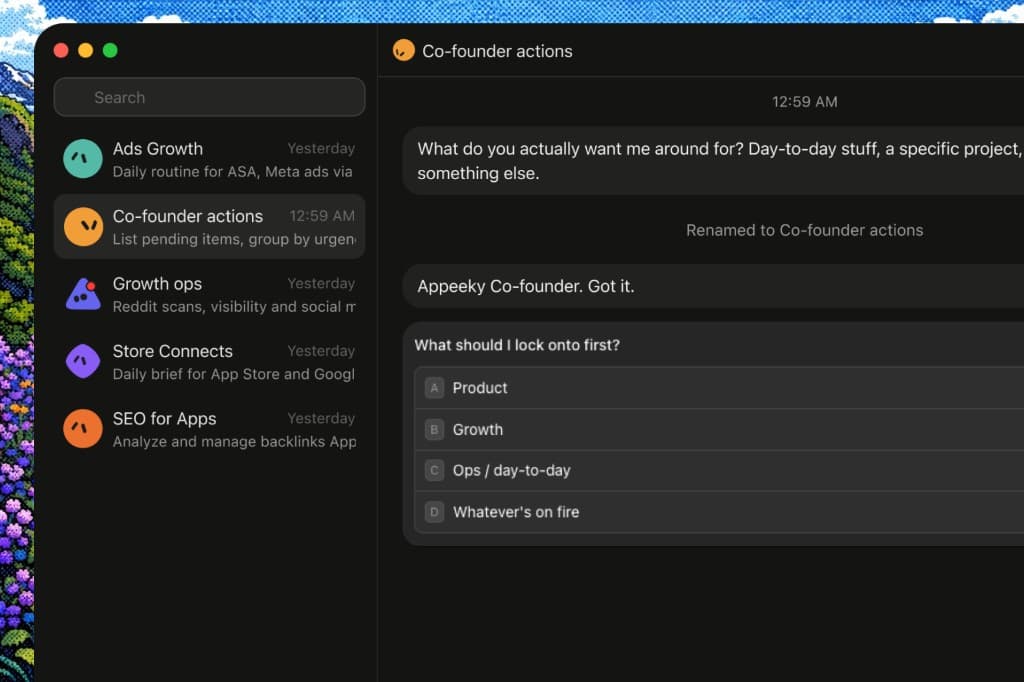
Same Appeeky stack you already use — now on Grok Bot, in chat or on a weekday schedule.
You already run ASO, Search Ads, Meta ads, App Store Connect, Google Play, RevenueCat, and AI visibility in the Appeeky dashboard, Desktop, Cursor, and Claude. That same data now works on Grok Bot: ask in chat, or schedule routines so the morning checks happen without opening five tabs.
This guide is the setup + what to ask once Appeeky MCP is connected.
What you get
Nothing new to learn on the Appeeky side — the same MCP tools you already use in Cursor or Claude, plus Grok routines:
- Live App Store & Google Play data (ranks, keywords, reviews, screenshots)
- ASO audits and competitor gap analysis
- Apple Search Ads spend, keywords, and ROAS
- Meta ads (campaigns, creatives, insights, competitor Ad Library)
- App Store Connect sales, subscriptions, and reviews
- RevenueCat MRR, churn, and attribution
- AI visibility (ChatGPT, Claude, Gemini, Perplexity)
- Co-founder action items and workspace memory
- Routines for the checks you already run by hand (morning brief, ads check, cofounder inbox)
Point Grok at your API key. It pulls live Appeeky data and answers the same way — then you schedule the repeat work.
Prerequisites
- An Appeeky account + API key — Same key you use for Cursor / Claude. Settings → API Key or the API Dashboard.
- Grok Bot access — Early beta for SuperGrok Heavy, Cursor Ultra, and Cursor Teams Premium. Download from x.ai/bot.
Optional (unlocks more tools — connect once in Appeeky, every client inherits them):
- App Store Connect in Settings → Integrations
- Apple Search Ads credentials
- Meta Marketing API / ad account
- RevenueCat webhook / integration
- Google Play service account
Step 1 — Create your Appeeky Bot
In Grok Bot:
- Create a new Bot (or reuse one).
- Name it clearly, e.g. Appeeky Bot.
- Add a short title and description so you (and other Bots) know its job:
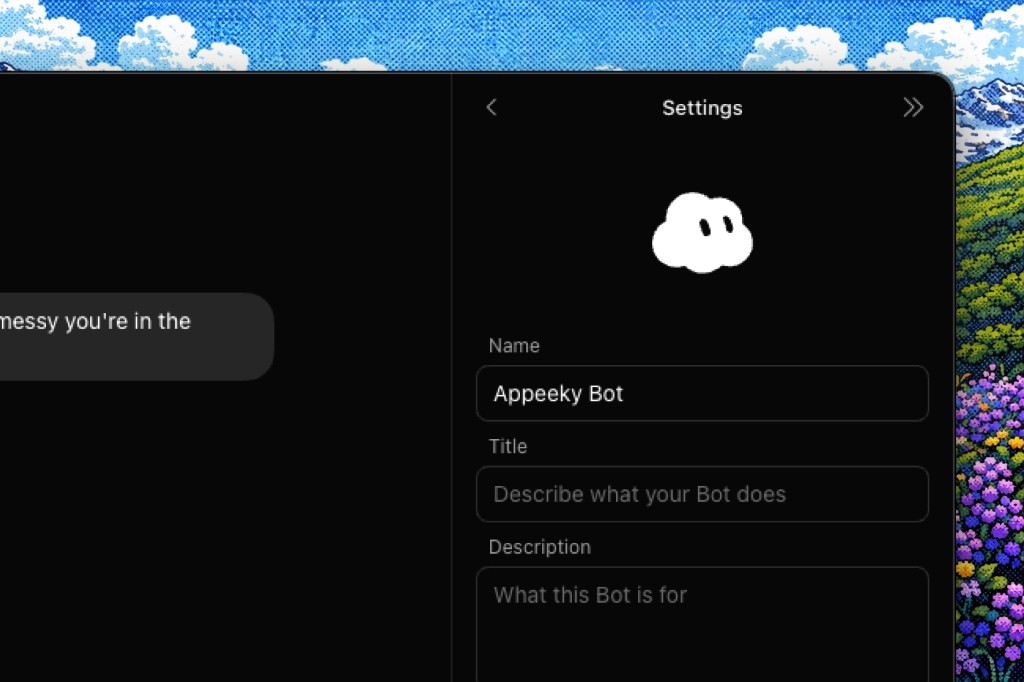
| Field | Example |
|---|---|
| Name | Appeeky Bot |
| Title | App Store & growth intelligence |
| Description | Checks ASO, keywords, Search Ads, Meta ads, ASC metrics, RevenueCat, AI visibility, and co-founder actions via Appeeky MCP. |
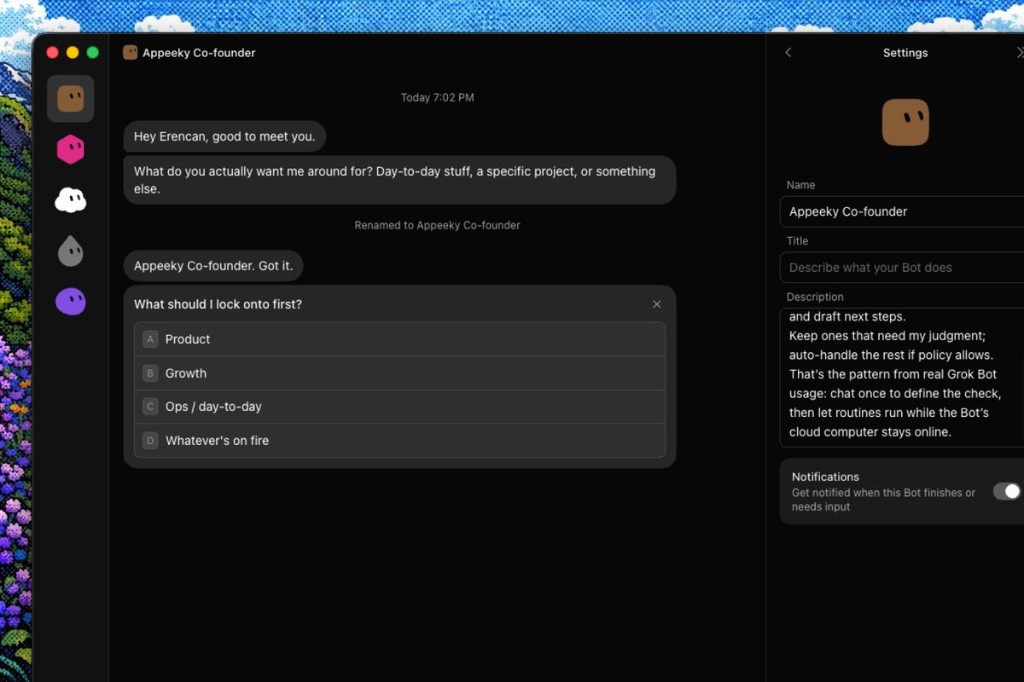
Keep other Bots for ads or ops on the same Appeeky account. Example: Appeeky Co-founder for product, growth, or day-to-day:
Step 2 — Connect Appeeky MCP
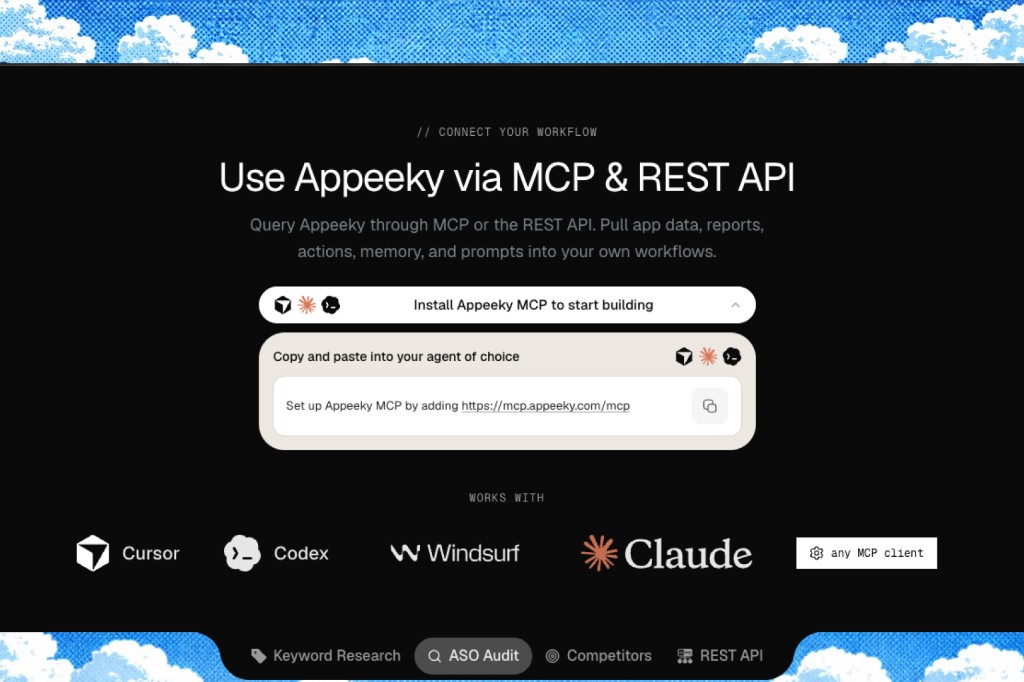
Same remote MCP URL you already use elsewhere:
https://mcp.appeeky.com/mcp
Option 1 — Ask Grok (easiest)
Paste this in chat. It will prompt for auth or open an auth tab — use the same API key:
Set up Appeeky MCP by adding https://mcp.appeeky.com/mcp

https://docs.appeeky.com/docs/mcp
Bearer token when asked: Authorization: Bearer apk_….
Option 2 — Reuse Cursor config
If Appeeky is already in ~/.cursor/mcp.json, Grok may pick it up automatically:
{
  "mcpServers": {
    "appeeky": {
      "url": "https://mcp.appeeky.com/mcp",
      "headers": {
        "Authorization": "Bearer apk_your_key_here"
      }
    }
  }
}
Option 3 — Custom connector (web)
- Open grok.com/connectors.
- New Connector → Custom.
- Paste
https://mcp.appeeky.com/mcpand add the Authorization header with your API key.
Option 4 — Grok CLI
grok mcp add --transport http appeeky https://mcp.appeeky.com/mcp \
  --header "Authorization: Bearer apk_your_key_here"
Verify:
grok mcp list
grok mcp doctor appeeky
Step 3 — Confirm tools are live
Ask something you already ask in Cursor / Claude:
Use Appeeky to show my API usage and remaining credits.
Or:
Search the App Store for "habit tracker" in the US and summarize the top 5 apps.
401 → regenerate the API key and update the header. 429 → plan or burst limit — see rate limits.
What you can check
Same prompts you use with Appeeky MCP elsewhere. Copy, tweak with your app name / ID, and send.
Morning pulse (sales, ranks, revenue)
Give me a morning brief for my tracked apps:
- ASC sales overview for the last 7 days
- RevenueCat MRR and churn
- Biggest keyword movers
- Any co-founder action items still pending
Which of my apps gained or lost the most ranks yesterday?
Show market movers and new chart entries in Productivity.
Keyword research & ASO
Find keyword suggestions for "screen recorder".
Which ones have high volume but low difficulty?
Run a full ASO audit for my app [app id].
Score it 0–100 and list the top 5 fixes in priority order.
Compare my keyword cluster against these competitors: [id1], [id2], [id3].
What gaps should I target this week?
Validate this metadata for Apple character limits:
Title: …
Subtitle: …
Keywords: …
Competitors & discovery
Pull the intelligence report for Duolingo — downloads, revenue estimate, and similar apps.
Show App of the Day / featured collections this week, and flag anything in my category.
Get competitor screenshots for my app vs the top 3 similar apps.
What patterns am I missing on the first three screens?
Apple Search Ads
List my Search Ads campaigns: status, daily budget, and spend trend.
For campaign [id], show keyword performance and search terms.
Which terms are wasting spend? Which should I add as exact match?
Give me profitability / ROAS for Search Ads joined with RevenueCat revenue.
Recommend scale vs pause.
Meta ads
Check Meta ads credentials status, then list my ad accounts and campaigns.
Show Meta insights for the last 7 days — spend, impressions, CTR, installs.
Which campaigns should I pause vs scale?
Search the Meta Ad Library for competitors of [app / brand].
Summarize creative angles and CTAs that keep getting used.
Draft a paused app-install campaign for [app] — I want to review before anything goes live.
App Store Connect & reviews
Summarize ASC subscription metrics: MRR, ARR, churn, trial conversion.
Search recent 1–2 star reviews that mention "paywall" or "crash".
Draft reply options I can approve.
Show acquisition sources for [app] — impressions, page views, conversion by source.
Google Play
List my Play Console apps and latest vitals anomalies.
Show search-term performance for [package] — visitors, acquisitions, conversion.
AI visibility
What’s my AI visibility overview this week across ChatGPT, Claude, Gemini, and Perplexity?
Which intents am I losing to competitors?
Bootstrap AI visibility intents from my App Store metadata, then run a scan.
Co-founder / growth ops
List pending co-founder action items. Group by urgency and suggest what to do first.
Scan my Reddit growth project for new high-intent opportunities and draft replies.
Check SEO keyword movers for my project and list the biggest gains and drops.
Schedule the checks you already run
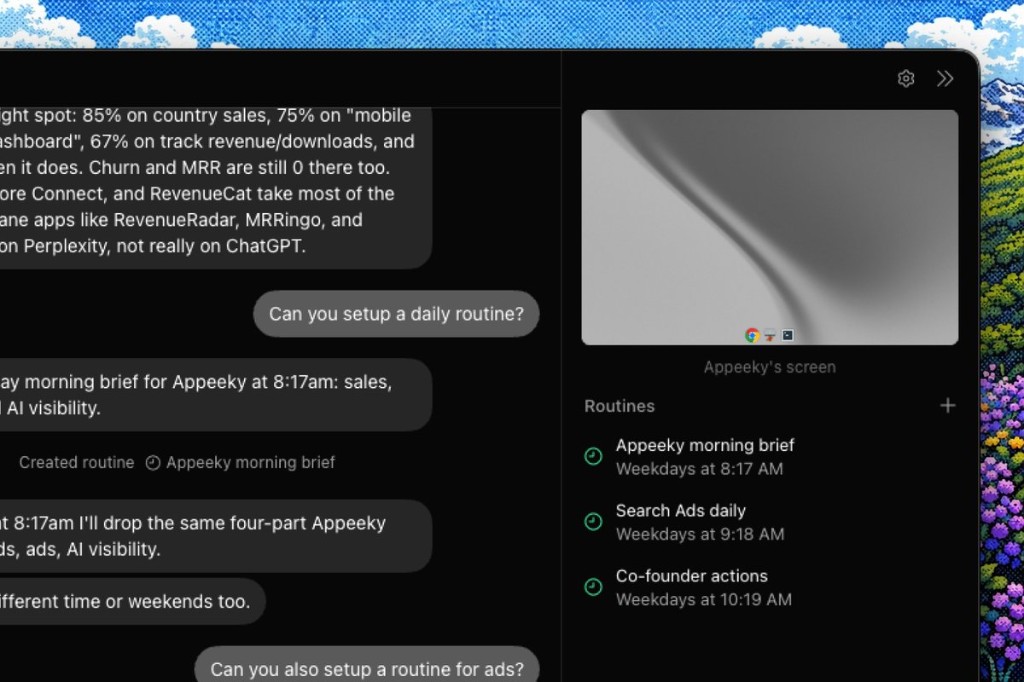
Chat works. Routines are the upgrade: define the Appeeky workflow once, let Grok run it on weekdays.
Example: Morning brief
Set up a weekday routine at 8:17 AM called "Appeeky morning brief".
Each run should cover:
1) ASC / sales snapshot
2) Keyword movers
3) Search Ads status + spend
4) AI visibility delta
Send me a short summary I can skim on mobile.
Example: Search Ads daily
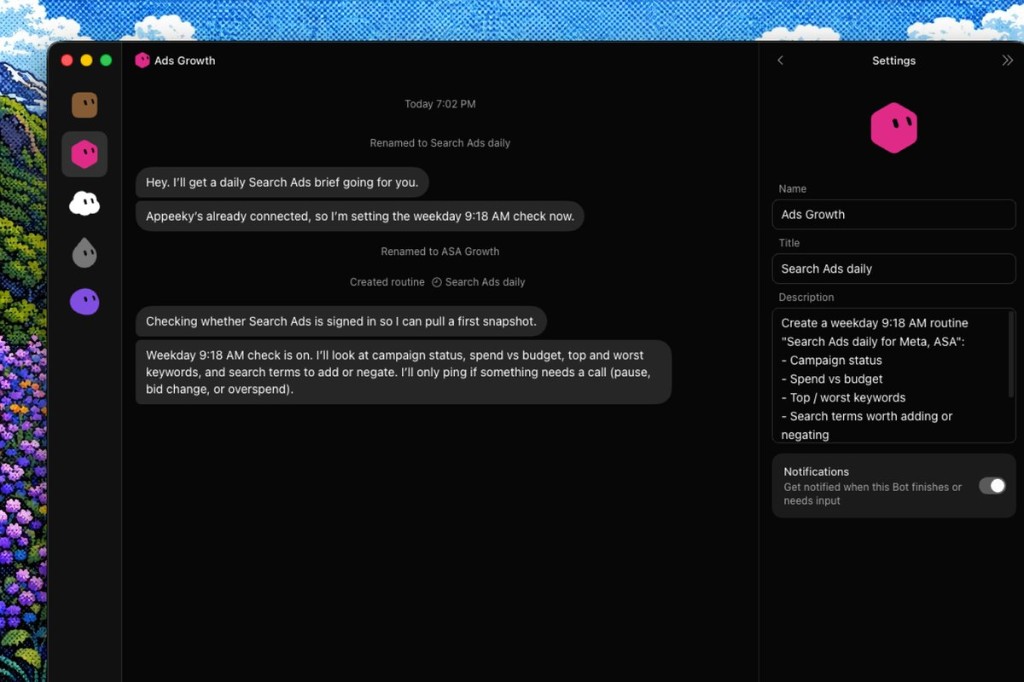
Create a weekday 9:18 AM routine "Search Ads daily":
- Campaign status
- Spend vs budget
- Top / worst keywords
- Search terms worth adding or negating
Only ping me if something needs approval (pause, bid change, or overspend).
Dedicated Ads Growth Bot for this — same Appeeky connection, only pings when something needs a call:
Example: Co-founder actions
Weekdays at 10:19 AM, run "Co-founder actions":
List pending items, group by urgency, and draft next steps.
Keep ones that need my judgment; auto-handle the rest if policy allows.
Define once in chat; routines keep the Appeeky pulls on schedule.
One Appeeky account, several Bots
Keep integrations as they are. Split the work:
| Bot | Job | Appeeky focus |
|---|---|---|
| Appeeky Bot | Product / ASO / store | Keywords, audits, ASC, screenshots |
| Ads Growth | Paid UA | Search Ads, Meta ads, ROAS, negatives |
| Appeeky Co-founder | Ops / day-to-day | Action items, drafts, approvals |
| Growth Bot | Organic + social | AI visibility, Reddit growth, SEO |
Same account, shared context — useful when a launch needs ASO + ads + visibility in one pass.
Troubleshooting
| Symptom | Fix |
|---|---|
| Tools missing / greyed out | Re-add MCP, reload connectors, or re-send the setup message |
| 401 Unauthorized | Bad or missing API key — regenerate at Appeeky Settings → API Key |
| 429 Rate limit | Wait for reset or upgrade plan / credits — docs |
| ASC / ads / Play / Meta tools empty | Connect the integration in Appeeky Settings → Integrations |
| Bot can’t “see” Appeeky | Same account as your key; header is Bearer apk_… |
Full tool reference: docs.appeeky.com/docs/mcp
Next steps
- If ASC / Search Ads / Meta / RevenueCat aren’t connected yet, finish Integrations so briefs are complete.
- Save your best prompts as Bot memory / routines.
- Teammates can use the same Appeeky account from Grok, Cursor, or Claude.
- Scripts still go through the REST API — MCP is the agent path.
Same MCP. Same API key. Now on Grok Bot with routines.
- MCP:
https://mcp.appeeky.com/mcp - Product: appeeky.com/mcp
- Docs: docs.appeeky.com/docs/mcp